Download and Install Xiaomi Mi A3 Stock Firmware to Unbrick, Unroot, and Fix Software Issues
Learn how to download and install stock firmware (fastboot ROM) on Xiaomi Mi A3 using fastboot. Useful for unbricking, unrooting, and fixing software issues.

On this page
Through this post, you can download Xiaomi Mi A3 stock firmware fastboot images. We will also guide you on how to install Xiaomi Mi A3 stock firmware to unbrick, unroot, and fix software-related issues. This guide is compliant with both, the Global and European variants of the Mi A3.
Restoring the stock firmware (Also referred to as “Stock ROM”) on your Xiaomi Mi A3 could come in handy in various situations. First and foremost, it is the most important thing to do when selling your phone or submitting it for a warranty claim (Also known as “RMA”). In the case of the Mi A3, Xiaomi will not cover the device under warranty if it has third-party firmware or mods (like Magisk Root, TWRP, Xposed, etc) installed. This is why you must always make sure to restore the stock firmware on your Mi A3 before you submit it for a warranty claim.
Apart from that, there are several other situations where you might find the need to roll back your Xiaomi Mi A3 to stock firmware. For instance, you don’t like the custom ROM that you installed and want to go back to the stock firmware. Or you rooted your Mi A3 and installed TWRP on it to flash mods. Not to forget, if you want to receive official OTA updates (monthly security updates or major Android version updates) from the Xiaomi, then you must have the stock firmware installed on your Mi A3 (with or without root, that is another matter).
In either of the above situations, simply performing a factory reset wouldn’t do the job and you will need to manually install stock firmware on your Xiaomi Mi A3. Installing the stock firmware (fastboot image) is quite easy and doesn’t require any special tools like the Mi Flash Tool (although you can use it), as in the case on other Xiaomi/Redmi devices running MIUI. The instructions in this guide will take you through the steps in detail.
Before You Begin
Before you begin following the instructions below, there are a couple of things that you should do to ensure that safety of your data, as well as for
Make sure that you fulfill all the requirements stated below before you head to instructions to restore/install Xiaomi Mi A3 stock firmware.
- Take a backup first! Restoring the stock firmware will erase all downloaded apps, along with their associated data, system settings and more. Although the procedure mentioned below will allow you to optionally save the data stored on the internal storage. However, if you’re planning on performing a full restore, all the data on the internal storage will be wiped too. In either case, we strongly recommend you to take a full backup of all the data stored on your Mi A3.
- Charge your Xiaomi Mi A3 to a sufficient battery level to avoid any sudden shutdowns during the firmware restoring instructions.
- Download the latest USB drivers for your Xiaomi device and install them on your PC.
- Install an archive utility on your PC like 7Zip or WinRAR.
- The process of restoring the stock firmware involves using ADB and fastboot. So, download the latest Android SDK platform-tools package and extract it to a suitable location on the PC (example: ‘C:\platform-tools’).
Download Xiaomi Mi A3 Stock Firmware (Fastboot Images)
The stock firmware for Mi A3 (codename: laurel_sprout) is available as “fastboot images”, which includes image (.img) files of various firmware partitions of the device. It’s strongly recommend that you download the latest version of the fastboot image linked below for your specific variant.
For Global Variant
For European Variant
Instructions to Install Stock Firmware on Xiaomi Mi A3
- Download the stock firmware fastboot image for your Xiaomi Mi A3.
- Extract the contents of downloaded package (.tgz) to a suitable location on your PC.
- Next, extract the resultant
tarpackage on the PC. - You shall now have a folder containing the firmware’s partition image files and flashing scripts.
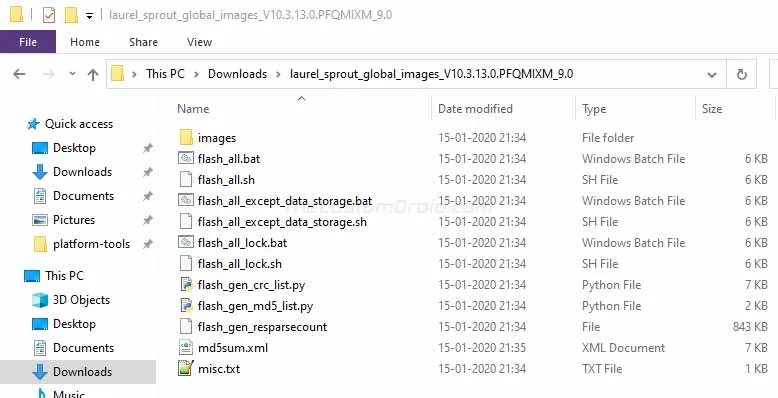
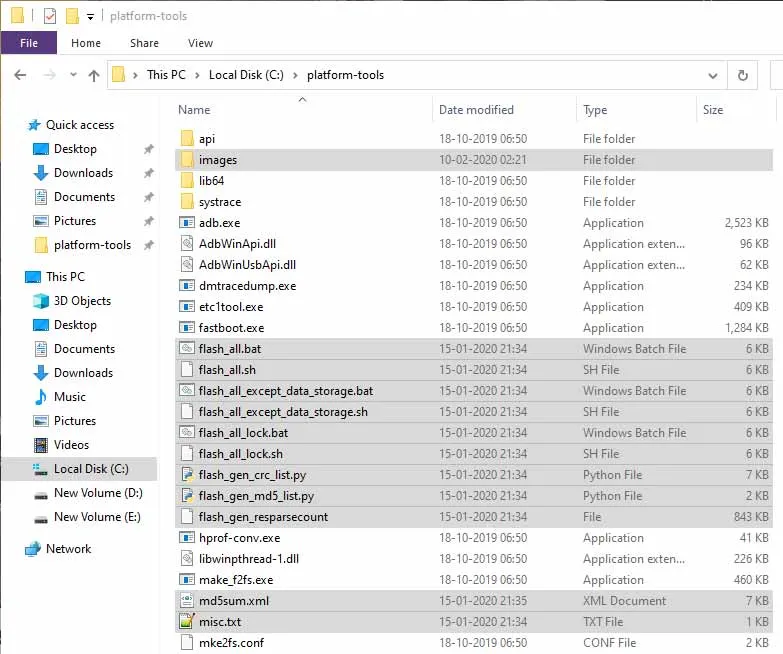
- Move all these files to the folder on the PC where the Android SDK platform-tools are installed (Example: “
C:\platform-tools”).
- Now, power off your Xiaomi Mi A3 completely.
- Hold the Volume Down and Power buttons together to boot your phone into Fastboot Mode.
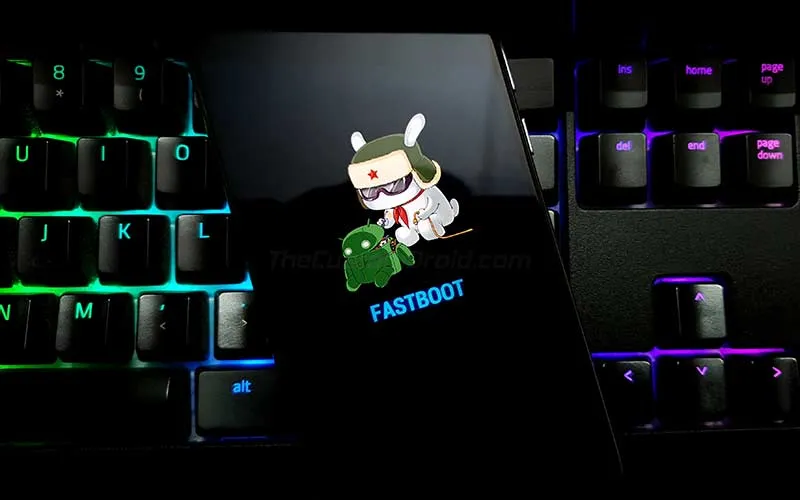
- Connect the phone to the PC while it is in Fastboot Mode.
- Now, there are three different types of flashing scripts available, which are as follows:
- flash_all.bat/sh: This will flash the stock firmware and erase the internal storage
- flash_all_except_data_storage.bat/sh: This will flash the stock firmware while preserving the data on the internal storage
- flash_all_lock.bat/sh: This will flash the stock firmware, erase the internal storage, and relock the phone’s bootloader
- Simply double-click on the desired flashing script to install/restore stock firmware on Xiaomi Mi A3.
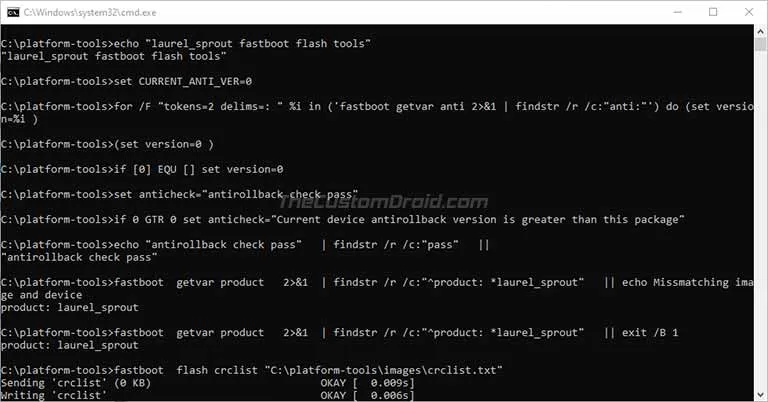
The flashing process could take a few minutes to complete and the progress will be shown in the PowerShell windows. During this time, make sure that you do not disconnect the phone from the PC or disturb the USB connection.
Once the flashing process finishes, your Xiaomi Mi A3 will automatically reboot into the system (OS). You can now close the PowerShell window on the PC. The stock firmware has now successfully been restored on your phone. Once your phone boots, you can set it up by following the on-screen instructions.
Important Note:
If the device fails to boot into the OS and keeps bootlooping, connect it to the PC while in fastboot mode, and execute the following command:
.\fastboot set_active aThe reason is that when you flash the stock firmware, the “system.img” installed to the “b” slot/partition is actually a dummy image. And so the device fails to boot. To fix this you need to set the phone’s active slot to “a” (see the command above), where the actual system.img has been installed.
That’s it! This was our guide on how to install Xiaomi Mi A3 stock firmware and restore it to unbrick, unroot, or fix software related issues. If you have any questions regarding the instructions or the process on a whole, feel free to let us know via the comments.
Comments
Comments are moderated, and published only if they are relevant to the topic and add value in a constructive way. If you disagree with something, please be polite and respectful. We suggest you read our comment policy before commenting.